Background
The aim of this discussion is to help teaching staff at UCS contextualise a flipped classroom teaching model and identify what tools might facilitate ‘flipped classroom” within their learning designs. Therefore, it is not intended to be a definitive introduction to this fluid topic, and after reading this you are encouraged to contact the Elevate Team to discuss your ideas further.
The Elevate Team encourage staff to think about a flipped classroom teaching and learning model. This includes supporting and developing individuals and course teams to achieve their objectives.
The discussion addresses the following questions;
- what is a flipped classroom?
- what educational context underpins a flipped classroom?
- what technologies might facilitate the flipped classroom at UCS?
- how might it work in practice?
What is the flipped classroom?
Educase (2012) suggest the “
flipped classroom is a pedagogical model in which the typical lecture and homework elements of a course are reversed.
Short video lectures are viewed by students at home before the class session, while in-class time is devoted to exercises, projects, or discussions. The video lecture is often seen as the key ingredient in the flipped approach, such lectures being either created by the instructor and posted online or selected from an online repository.
While a prerecorded lecture could certainly be a podcast or other audio format, the ease with which video can be accessed and viewed today has made it so ubiquitous that the flipped model has come to be identified with it.
The notion of a flipped classroom draws on such concepts as active learning, student engagement, hybrid course design, and course podcasting. The value of a flipped class is in the repurposing of class time into a workshop where students can inquire about lecture content, test their skills in applying knowledge, and interact with one another in hands-on activities. During class sessions, instructors function as coaches or advisors, encouraging students in individual inquiry and collaborative effort”.
This definition is useful, however, you might question if the pre-session activity has to be a video. You might not want to follow this very prescriptive model. For instance, the pre-session activity could be journal review, short MCQ, social bookmarking activity or discussion board activity. The important aspect is the learner is able to draw on the pre-session activity within your classroom session.
The Centre for Teaching, at Vanderbilt University suggest there are four key elements to a flipped classroom which need to be incorporated within the learning design.
- Provide an opportunity for students to gain first exposure prior to class
- Provide an incentive for students to prepare for class
- Provide a mechanism to assess student understanding
- Provide in-class activities that focus on higher level cognitive activities
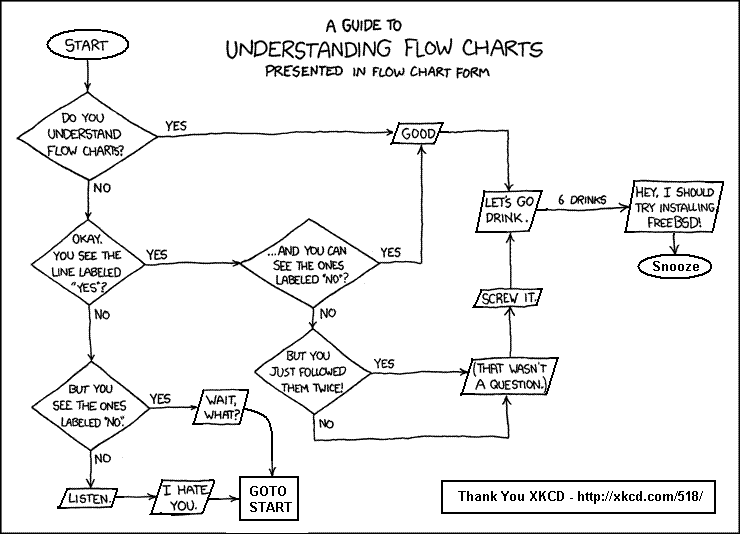
A cautionary word is highlighted in the image at the start of this post.
What is the underpinning educational context of its use?
The educational context of its use can be explored through a number of different routes. The following is not a definitive list.
Bloom’s Taxonomy
In the context of Bloom’s revised taxonomy (2001), it means students are undertaking the lower levels of cognitive work (gaining knowledge and comprehension) outside of class, and focusing on the higher forms of cognitive work (application, analysis, synthesis, and/or evaluation) in class, where they have the support of their peers and instructor. (from Vanderbilt University)
Constructivist Learning Models
The constructivist learning models are often referenced when designing approaches for students to acquire higher order learning skills.
“As long as there were people asking each other questions, we have had constructivist classrooms." (Brooks, 1999 from UCD Teaching and Learning Team)
Constructivism theory can be broadly divided into:
- Cognitive (individual) constructivism: ideas are constructed by the student through a personal process
- Social (group) constructivism: ideas are constructed by the student through interactions with others (peers, lecturers and others)
It could be suggested these two easily transfer to a flipped classroom context with the learning design incorporating the strengths of both. The Table illustrates the relative importance of the learning model with the mode of delivery.
Pre-Session
|
Session
|
Post Session
|
Cognitive
|
Cognitive
|
Cognitive
|
Social
|
Social
|
Social
|
The relative strength of the learning model in terms of implementation within the modes of delivery can be weaved into the learning designs. For instance, the learning design should focus on cognitive processes within the online components (pre and post), as these are more readily implemented to online learning spaces. While, the social learning processes are readily suited to the face to face teaching context.
What technologies at UCS might facilitate the flipped classroom?
There are a number of technologies available at UCS which will help facilitate a flipped classroom;
Before the session (Online)
This should encourage students to access knowledge for understanding and applying before they attend the session. This would involve completing learning tasks and activities. In terms of motivation it is useful to design the learning activity to enable monitoring. This might be through including discussion board activities or short MCQs.
- Video (including talk over powerpoints, and open education resources)
- Readings (including links, articles or student generated content)
During the Session (Classroom)
The face to face time is used for creating, evaluating and analyzing the knowledge gained from the Pre-Session Activity. The following technologies should enable discourse and debate.
- Audience Response Systems (Clickers)
- Text Walls (Twitter, Poll Everywhere)
- Bring your own devices (Student Smartphones to take and share photo or video evidence)
- Flip charts and write on walls (depending in your teaching room)
- Visualiser
After the session (Online)
This should cement the learning outcomes and bring some form of closure. This might involve you or the student making summaries.
- Course blog
- Summary recordings
- Links to further reading
How might it work in practice? Reflections on IMDSCF003
The following is based on a lecture in IMDSCF003-13S1D (Communication and Study Skills).
The assessment model is a peer assessed formative assessment task (500 words). However, given a large proportion of the students are unlikely to have any previous experienced of peer assessment the learning model needed to provide opportunities for students to apply the marking scheme to example work. This required dedicating a large proportion of the lecture to this task. To create time, the session was flipped.
Pre-Session Activity
The pre-session activity was designed to take about 1 hour. The screenshot for LearnUCS illustrates the adopted process.
There were four tasks which needed to be completed, Including, knowledge transfer tasks (video), gathering information from students (quiz) and scaffolded reading (journal articles). The emphasis of the learning model was around cognitive constructivism.
The quiz task was an open question which aimed to gather information from the student. It also acted as a monitoring tool for the lecturer.
When reflecting on the activities it could have been enhanced with more thoughtful questions around the videos. This would have provided individuals with some scaffolding in terms of what they should take from the video.
Classroom Session
A key point within a flipped classroom model is to use the material in the pre-session activity within the lecture. This is strongly associated with the need to provide feedback and motivation.
Therefore, the lecturer applied a number of approaches to encourage (sign post) the pre-session activities within their assignment and motivate engagement. For instance;
- on one slide I included the names of those who had completed the pre-activity quiz (reference a big hands up), and on the same slide the percentage of the students who hadn’t logged in (easily identified using the LearnUCS Retention Centre).
- the next slide was a selection of response to the quiz question which I discussed within the framework of the question.
- I encouraged all students to re-visit the LearnUCS module where I’d added an item which listed all the quiz responses.
- I made reference to the pre-session reading when discussing a framework for effective implementation
- It also created a significant amount of time in the lecture session for the peer assessment activity. This included, talking through the marking criteria, and group work to mark a number of exemplars (using the clickers to quantify the discussion).
Post Session
The post-session activity was to include an item in LearnUCS which summarised the group peer assessment grades and the model the grades from the lecturer.
This is a simple learning design which re-enforces the elements of an effectively flipped classroom;
- Provide an opportunity for students to gain first exposure prior to class - video and scaffold readings
- Provide an incentive for students to prepare for class - motivation through communications
- Provide a mechanism to assess student understanding - clickers and class discussion
- Provide in-class activities that focus on higher level cognitive activities - clickers and class discussion
There is also the opportunity to add a fifth element
- Provide an opportunity for activities to be closed: closed down with summary of class outcomes to allow the individual student to reflect upon
Where next for you?
You are strongly recommended to contact the Elevate Team at UCS to discuss your ideas further, and ensure you have all you need to ensure you can effectively flip your classroom. Alternatively, the Elevate Team will be running an online course around flipping your classroom, see:
http://ucsdigitalliteracy.blogspot.co.uk/
References
- Educase (2012) Seven things you should know about the … Flipped Classroom, available from: http://net.educause.edu/ir/library/pdf/eli7081.pdf (accessed on 28th January, 2014)
- Centre for Teaching, Vanderbilt University, Flipping the Classroom, available from http://cft.vanderbilt.edu/teaching-guides/teaching-activities/flipping-the-classroom/ (accessed on 28th January, 2014)
- Teaching and Learning Team, University Campus Dublin, Educational Theory: Constructivism and Social Constructivism, available from: http://www.ucdoer.ie/index.php/Education_Theory/Constructivism_and_Social_Constructivism (accessed on 28th January, 2014)
- The Elevate Team, University Campus Suffolk (2012), An illustration of why and how you might flip your classroom, available from http://ucselevate.blogspot.co.uk/2013/10/illustration-of-why-and-how-you-might.html (accessed on 28th January, 2014)
With Thanks